Product feed column shifts: delimiters and column counts
Before moving values, check the delimiter, headers and cell count of each row. Keep the original and separate formatting fixes from content that needs investigation.
View the synthetic example · Pre-submission checklist · Free diagnostics
Three checks to start with
- Check the delimiter. Distinguish CSV commas from TSV tabs, and inspect commas, tabs, line breaks and quotation marks inside descriptions. Renaming the extension does not change the delimiter.
- Compare header and product-row cell counts. If id, title and price are three columns but a row contains four cells (sku-01, Cup, blue, 10 JPY), inspect the source to determine where each value belongs. Do not delete extra cells indiscriminately.
- Check required columns, empty values and duplicates. MISSING_REQUIRED_HEADER, EMPTY_REQUIRED_VALUE, DUPLICATE_HEADER and COLUMN_COUNT_MISMATCH identify areas to inspect. Verify missing information against product records.
Google recommends tab-delimited TSV. Even when this tool can inspect a CSV, separately review the submission format and quoted-field requirements in the official documentation.
Before applying formatting fixes
Safe fixes normalize known header spellings and record them in the change log: the sample changes “ ID ” to “id” and “Title” to “title”. Ordinary inspection also trims and lowercases headers for checking, without rewriting the original file.
Missing trailing empty cells can sometimes be restored in short rows, but this does not prove that earlier values belong in the correct columns. Review extra cells, missing facts and duplicate IDs against the source.
Try the two-product demonstration
This local demonstration uses two fictional products, not customer results. The example.test URLs are placeholders, not real product pages. The displayed seller identity is synthetic too.
Save synthetic input · Corrected example · Change-log example
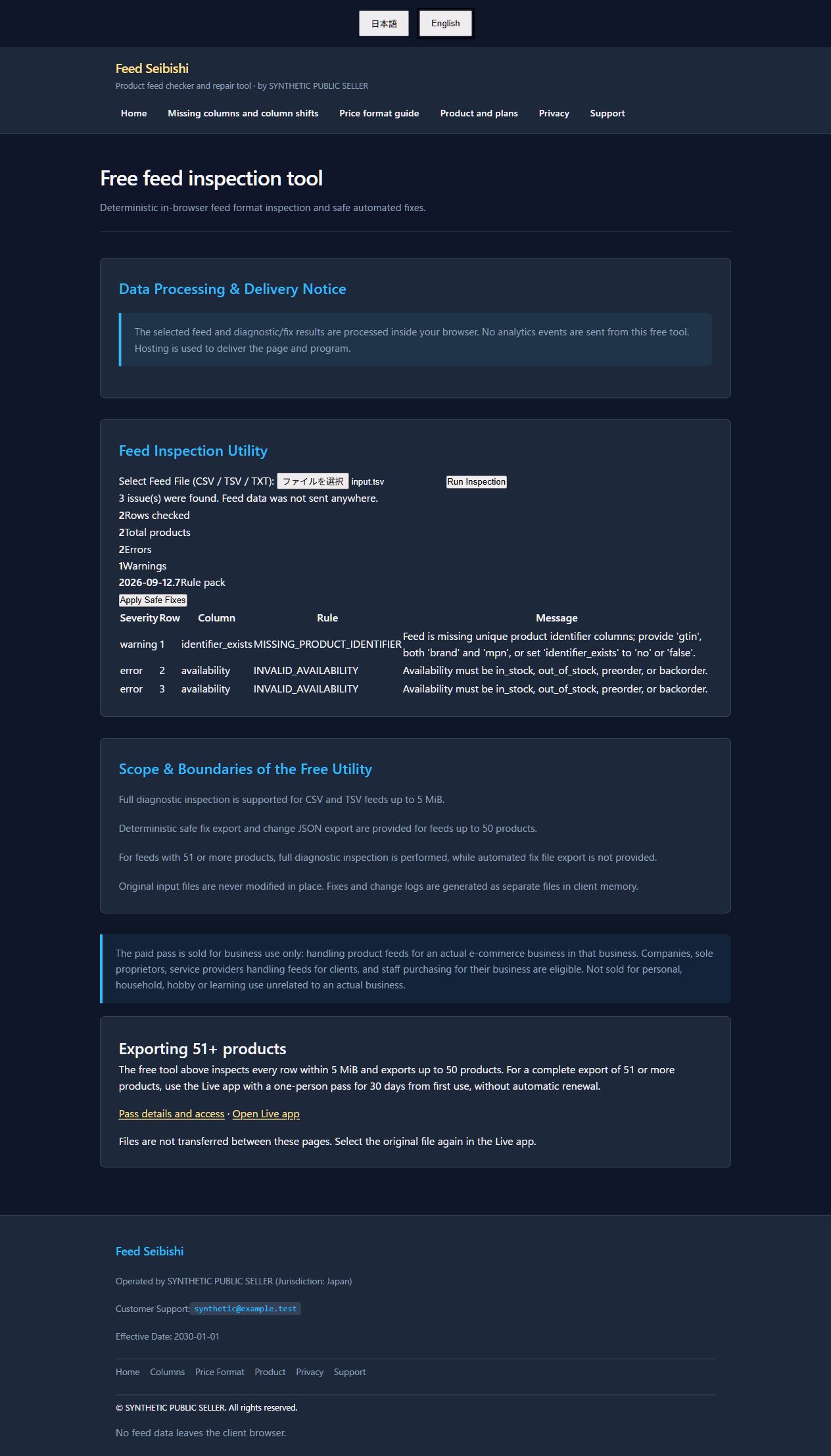
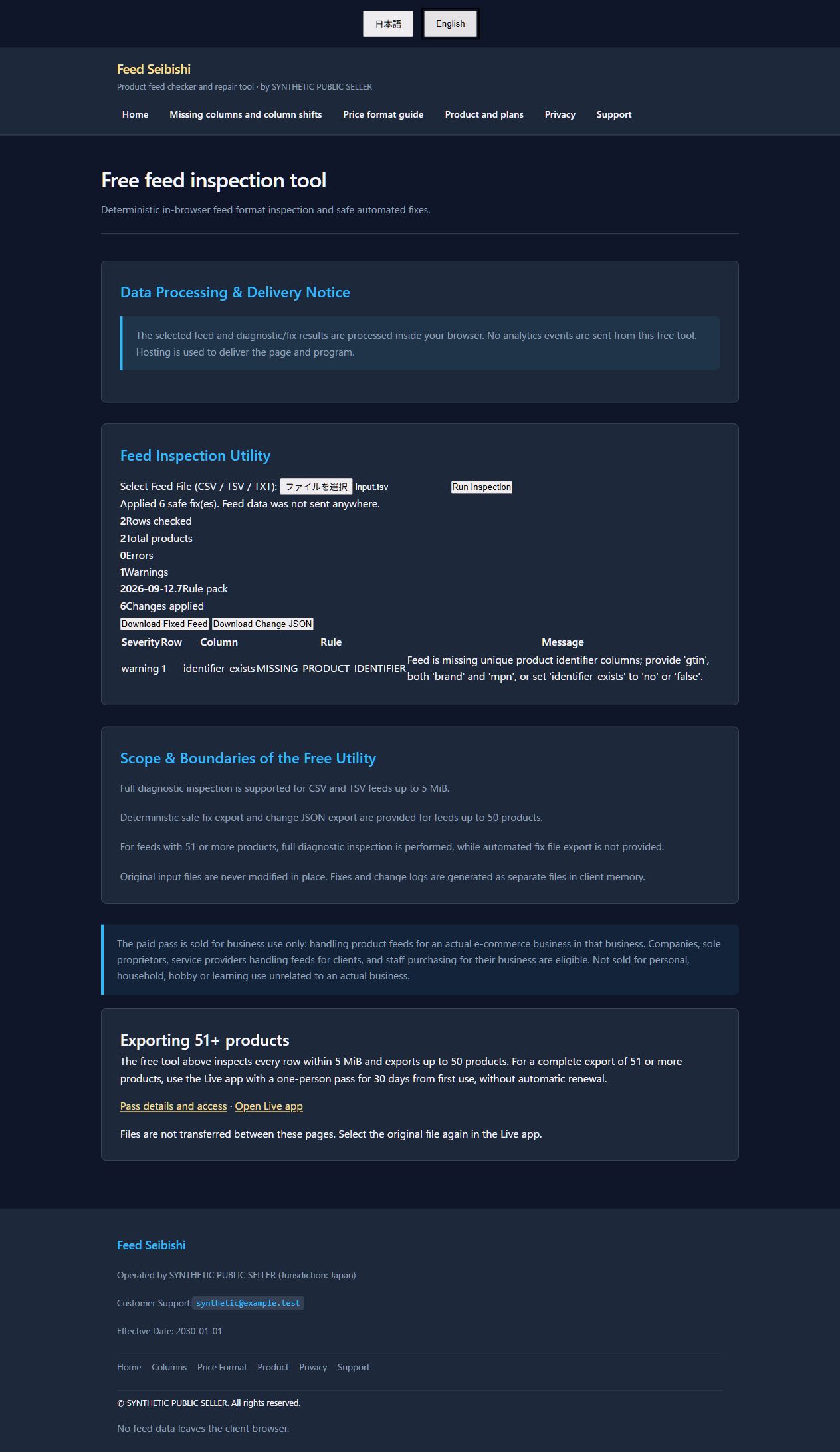
Open free diagnostics, select the saved synthetic input and run inspection. Before fixes: two errors and one identifier warning. After safe fixes: six changes, zero errors and one warning. Price and header normalization are recorded separately from the diagnostic error count.
| Row and column | Before | After |
|---|---|---|
1 · id
|
ID
|
id
|
1 · title
|
Title
|
title
|
2 · price
|
010,00 jpy
|
10.00 JPY
|
2 · availability
|
In Stock
|
in_stock
|
3 · price
|
8 EUR
|
8.00 EUR
|
3 · availability
|
Out of Stock
|
out_of_stock
|
MISSING_PRODUCT_IDENTIFIER remains after fixes. Do not infer a GTIN, brand, MPN or a “no identifier” setting. Investigate actual product identifiers and applicable requirements. Do not submit this synthetic example as real product data.
Save for later: pre-submission checklist
- Keep the original under a separate name. Do not overwrite it with the corrected file.
- Check the delimiter, required columns, row cell counts, empty values, duplicate IDs and product count.
- Match amount, currency and decimals to product records. Verify landing-page and checkout prices.
- Save the corrected feed and change JSON separately. Review before/after values, rows, columns and reasons. Investigate unexpected changes before submitting.
- Review remaining warnings. Do not invent product facts such as GTIN, brand or MPN. Verify actual information and the applicable Google requirements.
- Separately check actual stock, URL reachability, images, policy compliance and Google processing results. Format checks do not guarantee approval. Pause submission while problems or uncertainties remain.
Bookmark this section or use your browser’s Print to save it as a PDF checklist. This checklist does not save your selected feed or results.
Inspect your own file for free
All-row diagnostics are free within 5 MiB. Corrected-feed and change-log export are free for up to 50 products. Feeds with 51 or more products can still be diagnosed free within 5 MiB. Feed data is processed in your browser without uploading your catalog to an application server.